
Up-to-date availability for everyone
Each booked unit stops being offered. The on-site operator and the manager see the same availability, with no separate spreadsheet to keep.
An online storage unit booking takes five steps for the tenant: they choose their unit online, add their options, sign their contract on screen, pay their first month and receive their access code. They do it on a Sunday at 21:00, from their sofa, and move in on Monday morning. On your side, nobody has a contract to enter or a key to prepare: the on-site operator sees the expected arrival, and the manager finds the complete file.
Updated 13 October 2026

Requests for storage units rarely come in during opening hours. A couple selling their flat compare centres in the evening, after work. A tradesperson short of space for their stock thinks about it on a Saturday. A student going abroad for six months sorts it out the day before she leaves. Each of them wants an answer straight away, at a time that suits them.
Without online booking, these requests become messages to call back on Monday, then appointments to arrange for viewing, signing and handing over a key. For the centre’s team, a good part of the week goes on the phone and at the counter, copying contact details onto a paper contract.
When booking is open online, the person sees the free units, takes theirs, signs and receives their code that same evening. On Monday, the on-site operator finds the arrival in their list for the day and keeps their time for what needs someone on site: welcoming people, checking a unit, maintaining the aisles. The manager adjusts whatever needs adjusting: a size set aside, a special request, a postponed move-in date.

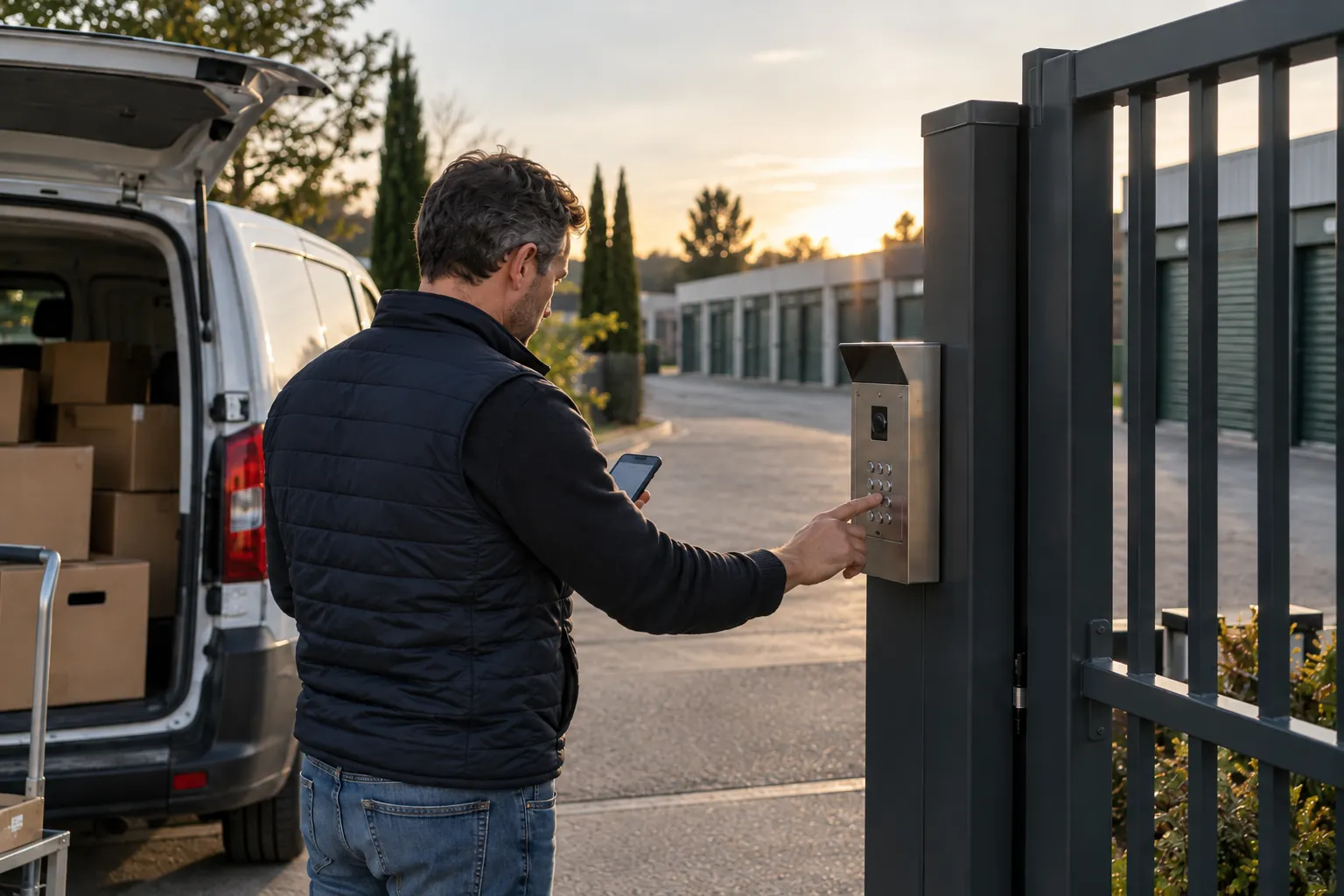
They choose their size, add insurance, sign, pay their first month and receive their code. You find a complete file in the morning, and no key has changed hands.
Each booked unit stops being offered. The on-site operator and the manager see the same availability, with no separate spreadsheet to keep.
The insurance you offer and your services appear at the moment of choice. Every tenant gets the same information, even on an evening when nobody is answering the phone.
Signed contract, contact details, options chosen: everything is filed on the tenant’s record before anyone on the team has switched on their screen.
The tenant comes whenever they like, within the centre’s access hours. The operator sees their expected arrival and has no key to prepare.
Free units are displayed with their size, location and price. They compare two sizes and take theirs.
The insurance you offer, a padlock, boxes: they tick whatever is useful to them. The total is shown before confirming.
The contract is already filled in with their contact details, the unit and the options. They read it, sign on their phone and receive their copy by email.
Online, in the same journey. Direct debit for the following months is set up at the same time, with no bank details to send.
By SMS and email. The code is personal and works for as long as the contract runs. They can move in the same day.
The tenant opens your centre’s booking page, on your website or via a link you’ve sent them. They see the free units, their size and their price. They choose theirs, add the options they want, sign their contract on screen and pay their first month. They then receive their access code by SMS and email. Everything is done from a phone, at a time that suits them.
For your team, the rental comes through complete: an identified tenant, a signed contract, access set up. Nobody had to pick up the phone, copy out an address or set up an appointment. Choosing a tool to offer your units online and integrate it into your website is covered on the page online storage unit rental software. Here, we follow the tenant step by step, and look at what the on-site operator and the manager see of it.
Free units are the first thing the tenant sees. For each one: its size, its location in the centre, its price. Those already taken are no longer offered. They look at where the unit is as much as at its floor area.
A customer who is moving house wants a unit close to the entrance, easy to reach with a van. A tradesperson prefers a ground-floor unit near a wide door. Someone storing a few boxes takes the smallest free size. When the page shows all that, they make up their mind on their own, and the centre’s operator doesn’t have to walk round the aisles to check what’s left.
The presentation of your units is prepared during setup, based on your actual site. When you add units, it keeps up.
Once the unit has been chosen, the tenant sees the options you offer. Your centre’s insurance cover first, because almost everyone wonders: what happens if my belongings get damaged? Then your additional services, if you have any: a padlock, boxes, handling equipment.
At the counter, on a busy day, it sometimes gets forgotten, and the customer finds out three weeks later that they would have liked to be insured. Online, every tenant gets the same information at the same moment, and decides at their leisure. They tick it or skip it, and the total is shown before signing.
The options offered, and the order in which they appear, are set to suit the way you work. We go through them together in the demo.
The contract comes already filled in: the tenant’s name, contact details, the chosen unit, its size, the price, the options selected, the move-in date. They read it on their phone, sign on screen and receive their copy by email. The same copy is filed on their record.
A standard contract ready to sign is provided at setup. We go through it with you so that it sets out your terms: access hours, centre rules, what can’t be stored, notice period, security deposit if you require one. What the operator used to explain in person is in writing, and the tenant has read it before going in.
There are no more paper files to sort or contracts to scan, and nobody gives up their Saturday morning for a signature.
The tenant pays their first month when booking. In the same journey, they set up the SEPA direct debit for the following months. They have no bank details to send, and nobody at the centre has an account number to copy out.
For them, it’s one less thing to think about each month. For the team, transfers to reconcile and cheques to pay in disappear from the start of the month. If a direct debit fails one day, the tenant is politely notified and everything is back in order as soon as they’ve paid. The page storage unit direct debits and arrears shows how this follow-up happens automatically.
Once the contract is signed and the first month paid, the tenant receives their code by SMS and email. It is personal. It opens the gate for as long as the contract runs and stops working when the tenant leaves. There’s no key to hand over, and no card to collect at the end of the contract.
They move in whenever they like, within your centre’s access hours. A booking made on a Sunday at 21:00 becomes a move-in on Monday at 07:00. If they get the code wrong, the on-site operator or the manager opens up for them from their phone, wherever they are. The gate, the opening hours and your team’s access are described on the page 24/7 access to a self-storage centre.
A tenant who took a small size realises after a month that they need something bigger. Another extends because their building work is running late. A third empties her unit earlier than planned. These changes are part of a centre’s everyday life, and they shouldn’t cost the team a whole morning.
Moving to another unit takes just a few clicks: the new unit is assigned, the old one becomes free again, and the contract and code follow. Notice of leaving sets the end date, the code stops on that day, and the on-site operator sees the unit to check in their list. What the tenant does on their own and what goes through the manager is decided at setup, to suit the way you work.
Three things are enough: your price list by size, the list of your options and the contract you want signed. Presenting your units, setting up payments and gate access are all part of the setup, carried out with a dedicated contact who then remains your day-to-day point of contact.
The booking page fits into your existing website, and your visitors book without leaving it. The counter and the phone stay open: a rental entered by the operator takes a unit from the same availability, and the tenant signs on the spot or receives the link on their phone.
In the demo, we book a unit together, from choosing it right through to the code, and you see what comes through on your side.
With a minimum of €59 excl. VAT per month and decreasing rates from 100 units, everything is included: online booking, contracts, direct debits, site access and tracking of its events. Setup is a fixed-price, turnkey package, with a dedicated contact who then supports your team day to day.
* Prices shown exclude VAT.
Yes. Booking is open 24/7, including weekends and bank holidays. The tenant chooses, signs, pays and receives their code without waiting for the office to open.
Online, they can see its size, location and price. If they’d rather come by first, the on-site operator or the manager opens the gate for them remotely for a viewing.
The first person to complete their booking gets it. The unit is then no longer offered, and the second person chooses another one.
Yes. The new unit is assigned to them, the old one becomes free again, and their access code follows.
No. Everything is done in the browser on a phone or computer, and the code arrives by SMS and email.
Yes. The operator enters the rental from their screen, choosing from the same available units. The tenant signs on the spot or receives the link to finish from their phone.
During the free 30-minute demo, you go through the whole journey: choosing the unit, options, signature, code. Then we look together at what the on-site operator and the manager see.