
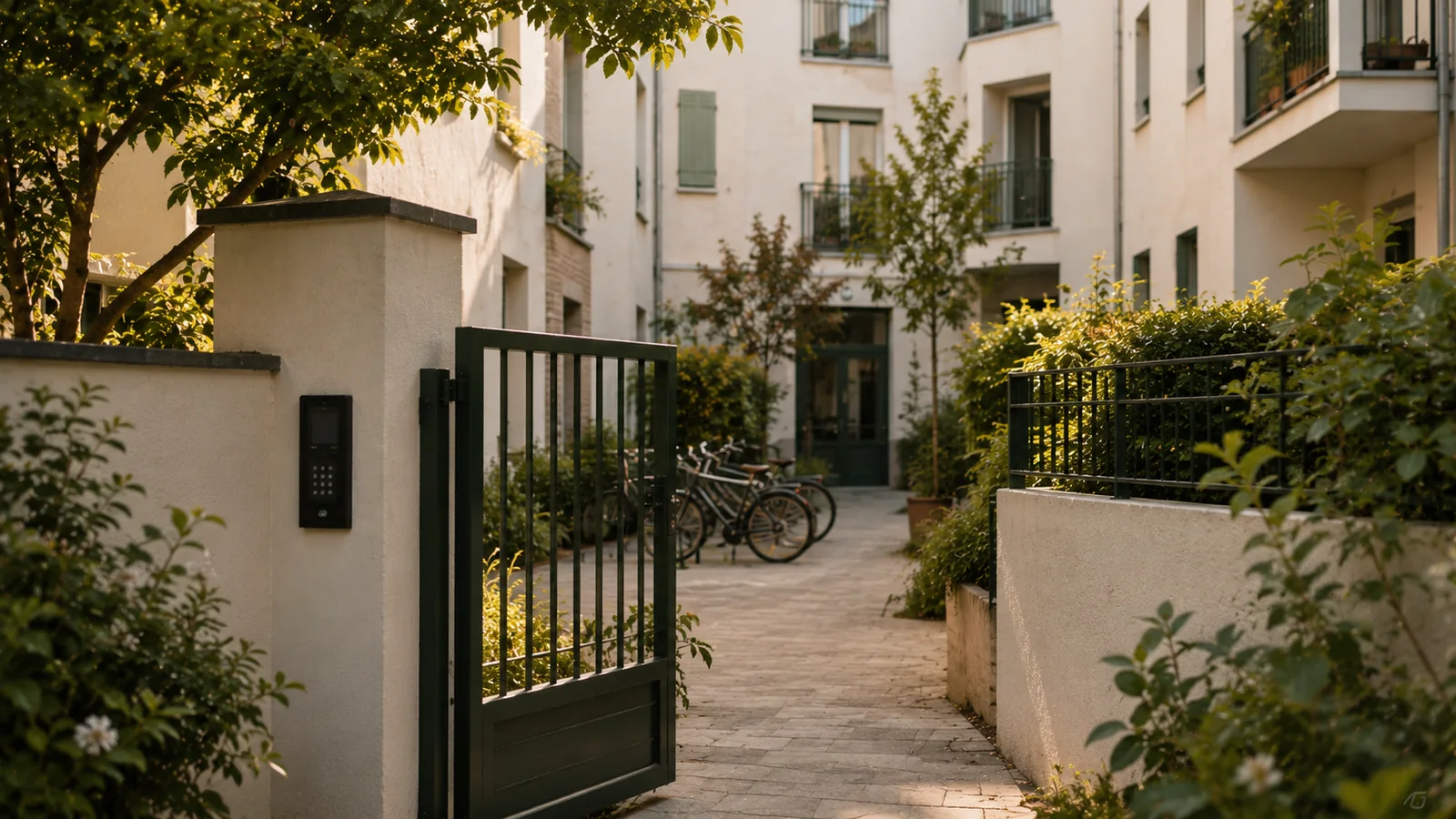
The starting point: booking a common room in a co-owned building is a matter of rules before it is a matter of tools
A residential building often has more shared spaces than it actually uses: a common room, a terrace, a guest room, a laundry room, a bike store, visitor parking spaces. As long as their use depends on a book kept at the caretaker’s lodge or a key entrusted to a member of the residents’ council, these spaces are little used and cause friction. Who booked, who left the room dirty, who has the key this weekend.
Online booking takes care of the practical side: a single calendar, payment collected before access, a code or badge valid only for the booked time slot. It does not remove the need for any of the texts. A common room is a common area within the meaning of the Act of 10 July 1965. Its conditions of use are governed by the co-ownership regulations and by general meeting decisions. The tool applies a rule; it does not replace it.
This guide therefore follows the real order: first the texts, then the managing agent and the residents’ council, then the rules of use, and finally access and monitoring. The tool itself is presented on the software for managing shared spaces in residential buildings page.
What the co-ownership regulations say
The co-ownership regulations are the first text to reread. They define what counts as a common area, what use each part is intended for and who has the use of it.
The need
Before talking about bookings, the managing agent needs to know whether the room is a general or a special common area, whether temporary exclusive use is provided for and whether the occupant can be asked for a contribution. Many older regulations say nothing about spaces fitted out after they were drafted, such as a room created in a former bin store or a terrace that has been made accessible.
The question to ask
Do the regulations allow a common area to be made available to a co-owner or a tenant in return for a contribution? Are separate rules of use needed? Do the regulations themselves need to be amended, which requires a general meeting decision and a deed to be registered?
The common pitfall
Opening bookings on the basis of a practice tolerated for years. When a dispute arises, tolerance counts for nothing and the occupant will contest the fee or the deposit. The Service-public.fr fact sheet on co-ownership regulations, cited at the end of the article, sets out what they contain and their scope.
The general meeting decision
Setting the conditions of use for a common area, a fee or a deposit is a matter for the general meeting of co-owners. The resolution must be drafted and voted on before setup.
The need
The residents’ council often drives the project, but it does not decide. Complete rules of use for the room must be put on the agenda: who can book, hours, fee, deposit, access conditions, liability, choice of booking tool and, where applicable, the installation of access control on the door.
The question to ask
What majority applies to this resolution? Does the resolution state the fee, the deposit and the tool, or only the principle? Does it provide for an annual report on occupancy and income to the general meeting?
The common pitfall
Voting on a vague principle, such as “the room may be made available”, and leaving the managing agent to settle the rest. Every dispute then comes back to the next general meeting. The Service-public.fr fact sheets on how a general meeting is run and on voting rules, listed in the sources, help you draft a resolution that holds up.
The role of the managing agent and the residents’ council, and transparency of use
The managing agent carries out the decision and keeps the accounts. The residents’ council oversees. The tool must serve both, without either depending on the other to read the information.
The need
The managing agent wants the room’s income to come in with a payment receipt linked to each booking, ready for the building’s accounts. The residents’ council wants to know who uses the room, how often and whether the rules are followed, without waiting for the annual meeting or asking the managing agent for a spreadsheet.
The question to ask
Can the residents’ council view the calendar and occupancy history in read-only mode? Does the managing agent get an export of income by period? Are permissions set person by person, so that a change of managing agent or council does not block anything?
The common pitfall
Handing management over to a volunteer co-owner, with the key and the booking book. The day they move out or lose interest, everything stops. The written rule and the history must outlast the people. The set-ups found in residential buildings are described on the residential buildings: shared spaces and visitor parking page.
Deposit and usage fee
The usage fee covers the costs related to the room: cleaning, energy, wear and tear. The deposit guarantees that the room is put back in good order. Both are voted at the general meeting and must appear in the booking process.
The need
The co-owners are not looking to make a profit. They want to avoid everyone paying for the use of a few. A modest fee, a deposit large enough to cover cleaning or a routine repair, and payment collected before access, so that nothing is left to claim between neighbours.
The question to ask
Is payment for the room collected online before the code is issued or the badge activated? Can the deposit be set up according to the terms voted? Does the resident receive a payment receipt, and the managing agent a summary by period?
The common pitfall
Collecting payment afterwards, “between neighbours”. Asking someone you pass in the lift for money is the situation everyone avoids, and the income disappears. The rule of payment before access removes the conversation, because there is nothing left to claim.
Peace and quiet: hours and noise
A common room sits in the middle of people’s homes. Hours of use and the end of time slots must be enforced by the system, not left to the occupant’s goodwill.
The need
The room’s neighbours want the end time respected, no parties on Sunday evenings and no comings and goings in the entrance hall at two in the morning. The residents’ council wants to be able to say that the rule applies to everyone in the same way, with no exception for the co-owner who insists.
The question to ask
Can time slots be limited to certain hours, with a maximum duration and a number of bookings per flat per month? Does access stop at the end of the time slot? Does an overrun show up in the timestamped history, so that it can be dealt with under the rules of use?
The common pitfall
Believing that posting a rule is enough. A key lent until Monday knows nothing of the end time. A right of entry tied to the time slot, on the other hand, stops at the voted time, and people can always get out. That difference is what keeps the peace with the neighbours, far more than a reminder in the hall.
The condition report
The condition report for a common room is rarely carried out with both parties present. It therefore has to rely on recorded facts: who went in, at what time, and until when.
The need
On Monday morning, the room is dirty or a chair is broken. Three occupants used it one after another over the weekend. Without a history, the discussion turns on memories, between neighbours who will keep running into each other. The managing agent wants to establish the facts before talking about the deposit.
The question to ask
Can the managing agent view the history of timestamped entries, and the residents’ council in read-only mode? If the building has cameras at the room entrance, are they linked to the entries? Can the occupant report the condition of the room from their phone when they get there, before being held responsible?
The common pitfall
Installing a camera in the room without a general meeting decision or informing residents. The CNIL (France’s data protection authority) regulates video surveillance in residential buildings; the link is in the sources. The general method is described on the condition reports and deposits without arguing from memory page.
Liability and insurance
The rules of use must state who is responsible during the time slot and which insurance covers what. Online booking makes it possible to have this text accepted before each use, with a record.
The need
The managing agent wants the building’s insurance to cover the room as a common area and the occupant to be liable for any damage they cause during their time slot. The occupant wants to know what they are agreeing to before paying. Both benefit from a short text, read at the time of booking.
The question to ask
Are the conditions of use accepted with each booking, with the date and time of acceptance? Can a liability insurance certificate be required for certain uses? Does the building’s insurance policy provide for the room being made available to occupants or third parties?
The common pitfall
Letting a tenant or an outside party book under the same conditions as a co-owner, with no separate rule. The rules of use must say who can book: co-owners, tenants, occupants, with or without the owner’s consent, and whether outsiders are allowed.
Resident badges and visitor codes
The resident already has a badge. The visitor has nothing. A suitable system activates the resident’s badge for their time slot and sends the visitor a code valid only for the booked time window.
The need
For badge access in a residential building, residents want neither a second badge nor an app. A guest at a birthday party wants to get in at the agreed time without buzzing the intercom. The managing agent wants nothing to stay open after the end of the time slot and nobody to hold a permanent right to the room.
The question to ask
Can a resident’s badge be activated on the room door during their booking, and go back to being an ordinary badge afterwards? Does the visitor code arrive by SMS and email? Can the existing badge reader be controlled by the system, or does it need replacing, and at what cost?
The common pitfall
Handing out a permanent “room” badge to volunteers on the residents’ council. The badge gets passed around, lent, lost, and the right of entry never expires. The expected way of working is described on the online booking and access control in a single tool page.
Visitor parking and bike store
Visitor spaces and the bike store are managed with the same rules as the room: a time slot, a right of entry, a record. These are often the spaces where results show fastest.
The need
Visitor spaces are taken by residents who have two cars. The bike store is full of abandoned bikes and its key cannot be found. The residents’ council wants to return these spaces to the use that was voted, without spending its evenings sticking notes on windscreens.
The question to ask
Can a resident book a visitor space for their guest, within a monthly limit? Can the car park gate and the bike store door be controlled with the existing equipment? Can a bike space be allocated to a flat for the year, with the resident’s badge?
The common pitfall
Trying to open everything at once: room, terrace, car park and bike store in the same week. Starting with the visitor spaces gives a visible result within a few weeks and makes the next votes easier. The user journey for a space is described on the book a visitor parking space page.
Native access control or access control via an integrator: what difference does it make for a residential building?
Native access control means that the booking software itself controls the room’s electric strike, the badge reader or the car park gate. With an integrator, a third party connects the booking tool to the building’s access system. For a residential building, the difference shows in the number of providers to be voted on at the general meeting and to call when something breaks down. Four points need checking: cost, lead time, contacts and breakdowns.
Cost and lead time
Ask for a written quote, separate from the subscription, for the hardware to be added to the room door or the gate, and for fitting it. A subscription from €59 excl. VAT per month includes neither an electric strike nor a reader. This quote must be included in the resolution put to the general meeting. Also ask how long it will take until the door actually opens for the first time.
Contacts
Who does the managing agent call when a resident is stuck outside the door? With native access control, a single team knows both the booking and the equipment. With an integrator, the building has two contracts, two renewal dates and two contacts who may pass the problem back and forth.
In the event of a fault
Power cut, network outage, reader out of order: ask what happens to the resident who has paid for their time slot. A backup code, manual opening, a contact who can be reached at weekends? The answer must be in writing. Check that people can always get out of the room and the car park, whatever happens at the entrance.
Method: opening a common room to bookings in five steps
Order matters. The texts first, then the resolution, the equipment, then a test with the residents’ council before opening to all residents. These five steps apply to a room, a terrace, a bike store or visitor parking spaces.
Twelve questions to ask during a demo
These twelve questions go through the points of the guide in the order of a demo. Ask for answers based on the building’s actual equipment, and for a written record of anything to do with costs, since it will have to be presented at the general meeting.
Opening a common room in a co-owned building to bookings in 5 steps
- Reread the co-ownership regulations
Check how the room is classified, the uses provided for and whether a contribution can be requested. Note what is missing and will need to be voted on or amended.
- Prepare the general meeting resolution
Draft complete rules of use: who can book, hours, fee, deposit, liability, access control. Put them on the agenda with a written quote for the tool and the hardware.
- Checking the access equipment
Take stock: badge reader, keypad, electric strike or electromagnetic lock on the room door, car park gate, bike store door. Get in writing what the system can control and what needs to be added.
- Set up and test with the residents’ council
Enter the rules that were voted, then have a few council members book, pay and get in over a month. Fine-tune the hours and limits before opening to everyone.
- Open and report back
Inform residents, do away with the booking book and the key, then present the first year’s occupancy and income to the next general meeting, using the history.
The 12 questions to ask before choosing a common area booking tool
- Who can book: co-owners, tenants, occupants, third parties? Does the system apply this rule without the managing agent stepping in?
- Is the voted usage fee collected online before access is issued?
- Can the deposit be set up according to the terms voted at the general meeting?
- Can hours, duration and the number of bookings per flat per month be limited?
- Does access stop at the end of the time slot, and can people always get out?
- Can a resident’s badge be activated on the room during their booking, without a second badge?
- Does a resident’s visitor receive a code by SMS and email, valid only for the booked time window?
- Can the existing badge reader, electric strike or gate be controlled by the system, or do they need replacing? With what written quote?
- Can the residents’ council view the calendar and history in read-only mode?
- Does the managing agent get an export of income and a payment receipt for each booking?
- Where is the data hosted, and how long is the entry history kept?
- Who answers on a Saturday evening if the room door won’t open, and how quickly?
Your questions
Can a common room in a co-owned building be made available to a co-owner for a fee?
Yes, if the co-ownership regulations allow it and the general meeting has voted on the conditions: who can book, at what rate, with what deposit and during which hours. The contribution requested covers the room’s running costs; it is not meant to make a profit. Once the rule has been voted, an online booking tool applies it to every request, collects payment before access and keeps a record of occupancy for the managing agent and the residents’ council.
What majority is needed to adopt rules of use for common areas?
The majority depends on the nature of the decision: simple conditions of use, work on a door, or an amendment to the co-ownership regulations. The Service-public.fr fact sheets on general meeting voting rules and the text of the Act of 10 July 1965 on Legifrance, listed in the sources, help you classify the resolution before drafting it. If in doubt, the managing agent can ask its legal adviser to check the classification.
Who collects the usage fee for the common room?
The co-owners’ association, through the managing agent, since the room is a common area. With online booking, payment is collected before access is issued, a payment receipt goes to the occupant and the income stays linked to the booking. The managing agent has an export by period for the building’s accounts, and the residents’ council can read the occupancy history without having to ask for it.
Can the managing agent install access control on the common room?
Not on its own. Fitting an electric strike, a badge reader or a keypad on a common area requires a general meeting decision, with a written quote for the hardware and installation. Once voted, access control linked to bookings activates the resident’s badge for their time slot or sends a code to the visitor, then cuts access at the end. When the existing reader can be controlled by the system, it is kept.
How do you free up visitor spaces taken by residents?
By making the visitor space bookable, within a monthly limit per flat voted at the general meeting. The resident books for their guest, who receives a code valid for the planned time window, and the gate does not open outside it. The history shows who booked and when, which replaces notes on windscreens with facts. It is often the first space to be opened, because the results show within a few weeks.
Is an app needed to book the common room?
No. Booking is done from a browser, on a phone or computer, with no app to install and no account to create for a visitor. The resident chooses a time slot, accepts the conditions of use, pays online and receives confirmation by SMS and email. Their badge is activated for the booked time window, or a code is sent to them if the door has a keypad. Residents who are less comfortable with digital tools can get help from the managing agent, who creates the booking from the dashboard.
How much does a common area booking tool cost for a residential building?
The platform subscription starts at €59 excl. VAT per month, with no commitment and no commission on payments. The exact price is set during the demo, based on the building’s actual spaces and equipment. Any access control hardware to be added is quoted separately and communicated before any order, so that a complete amount can be presented to the general meeting.
Official references
- Service-public.fr — Co-ownership regulations
- Service-public.fr — How a general meeting of co-owners is run
- Service-public.fr — What are the voting rules at a co-ownership general meeting?
- Service-public.fr — The residents’ council in a co-owned building
- Legifrance — Act No. 65-557 of 10 July 1965 establishing the status of co-ownership of built properties
- CNIL — Video surveillance and video protection in residential buildings
Read next
See ASLOT applied to your case
Thirty minutes, no commitment, to check what the platform changes for your spaces and equipment.