
| Situation | Recommended setting | What the user experiences |
|---|---|---|
| The group arrives ten minutes early | A margin before the time slot, of 15 minutes for example | The code opens a quarter of an hour before the start |
| Tidying up runs over after the end | A margin after the time slot, suited to the space | They can finish loading without getting stuck outside or inside |
| The user arrives 40 minutes late | No setting: the code stays valid until the end of the time slot | They go in and make use of the time that remains |
| They want to stay an hour longer | A new booking, if the next time slot is free | They book from their phone and receive access for the new period |
| The booking is cancelled | Nothing to do: the code stops with the booking | Their code no longer works |
| Payment has not been made | Payment when booking, or a payment link sent by the manager | They receive their code once payment is made |
| An association comes every Tuesday | A recurring booking in the name of the person in charge | The person in charge opens up for the group on each time slot |
| The user has lost their code | Check their identity, then resend their confirmation | They get their code back without anyone having to travel |
Temporary access code: a code that lives as long as a booking
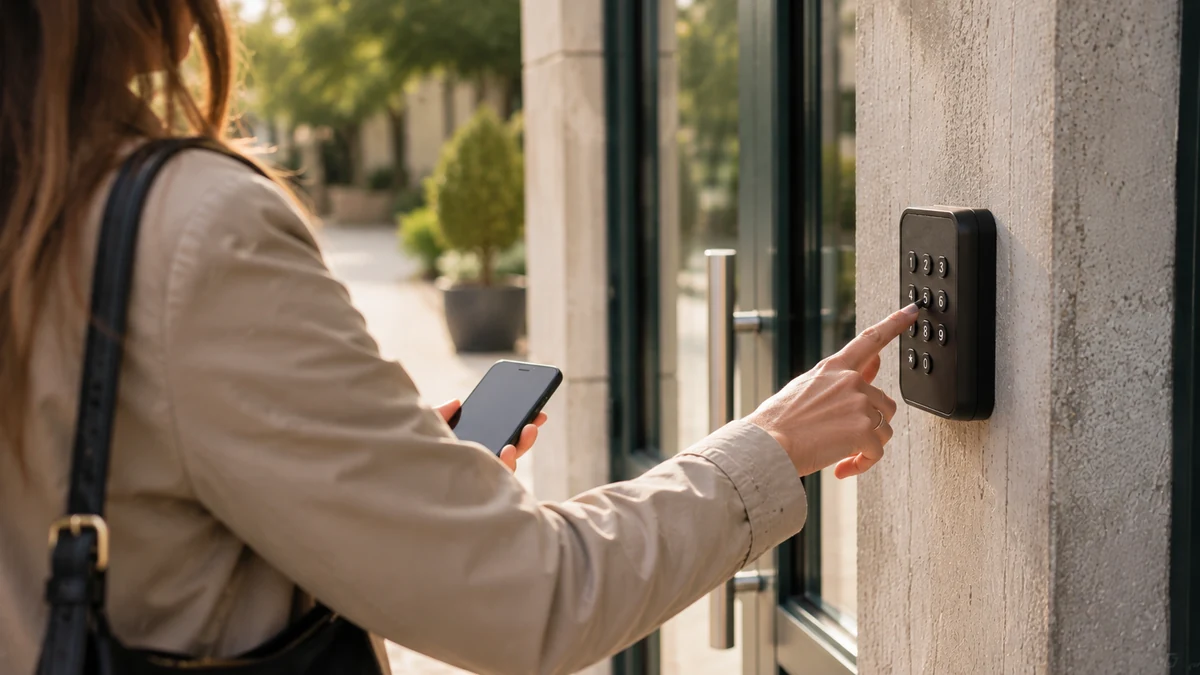
A temporary access code meets a very simple need: letting someone in for the time they have booked, and no longer. The person books online, pays if the space is chargeable, then receives a code or a QR code with their confirmation. This code opens the equipment already in place during their time slot. Before the start time, it does nothing. After the end, it no longer does anything. The full journey, from booking to opening, is described on the how ASLOT works page.
The same principle works in very different places. A community hall hired on a Saturday for a birthday. A coworking meeting room taken for two hours on a Thursday morning. A parking space booked for the week of a trade fair. A storage unit rented by the month. A pontoon opened to a visiting boat owner. A motorhome aire where people arrive at 11 pm. In each case, the right to enter starts with the booking and ends with it, as the access control linked to online booking page explains.
This guide deals with the code over time: when it starts, when it stops, who it is given to and what to do when reality spills over the time slot. The hardware that receives this code, and how to connect it without changing gate or door, is the subject of another guide: access control without building work.
The margin before and after the time slot
Nobody arrives exactly on time, and nobody leaves on the minute. The margin is the first setting to decide, space by space.
The need
The chair of the pétanque club arrives at 6:50 pm for his 7 pm time slot, with the tables and drinks. If the code only works at 7 pm, he waits ten minutes in the car park, in the November rain. A margin before the time slot, set once for the hall, opens the door to him a quarter of an hour earlier. The same logic applies at the end: a margin after the time slot leaves time to tidy up, take out the last bag or collect a bike without finding yourself in front of a gate that no longer responds.
The question to ask
“How long does it take, in this particular place, to set up and to leave?” Ten minutes is enough for a meeting room. A village hall often needs more for tidying up, a storage unit for loading a van. The margin is set per space and applies to all of its bookings, with no exceptions to negotiate over the phone.
The common pitfall
A margin so wide that two bookings overlap. If the hall is hired from 2 pm to 6 pm and then from 6 pm to 10 pm, a one-hour margin lets the second group in while the first is tidying up. Match the margin to the usual gap between two bookings, and build that buffer into the schedule rather than into the code.
Late arrival and extension
Late arrivals and extensions are the two situations that generate the most calls. Both can be handled without touching the code.
The need
A user who is running late must be able to get in without calling anyone. With a code valid for the whole time slot, that is the case: someone arriving at 10:40 am for a booking from 10 am to 12 noon goes in and makes use of the time that remains. Someone who wants to stay longer books the next time slot if it is free, from their phone, and this new booking gives them access for the new period. If the time slot is already taken, they know they have to leave, and the next group comes in at the planned time.
The question to ask
“Is the time lost through late arrival still due?” The answer is decided once and written into the rules attached to the confirmation: the booked time remains due, whether the user arrives on time or not. It is the simplest rule to apply and the easiest to understand.
The common pitfall
Extending “by hand” as a favour, by lengthening a booking that has already ended or by leaving the door open. The schedule no longer tells the truth, the next time slot risks being sold on top of it, and the history no longer matches anything. An extension goes through a booking, even a free one.
Cancellation and non-payment
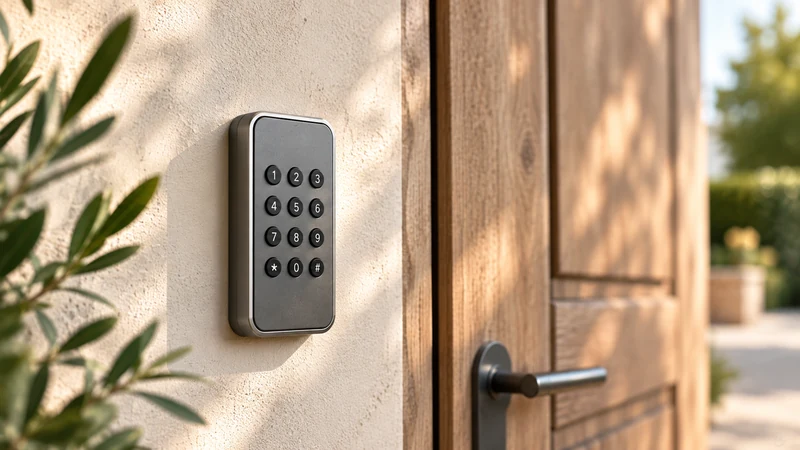
A temporary access code only makes sense if it disappears with the booking that created it. Cancellation and non-payment are the two cases where this matters most.
The need
When a booking is cancelled, by the user or by the manager, its code stops. Nobody has to remember to deactivate it, and the freed-up time slot can be taken by someone else. For a chargeable space, online payment is made at the time of booking, and the code arrives with the confirmation. If the manager takes a booking by phone, they send a payment link, and access follows payment. A deposit can be requested for places that warrant it, such as a village hall.
The question to ask
“What happens when a monthly rent is not paid?” For a storage unit or a parking space rented by the month, write the rule into the contract: the grace period, the reminder, then the date from which the rental is stopped, and access with it. The unpaid bills and direct debits page details how this is organised.
The common pitfall
Cancelling a booking in a diary and forgetting the code programmed separately into the keypad. The following Saturday, someone walks into a hall they are no longer hiring. With a code created by the booking, this does not happen: cancellation stops the code in the same step.
One code per person or one code per group
The code is attached to a booking, and therefore to the person who booked. The real question is who comes in alone and who comes in with others.
When everyone comes in on their own
The remote worker who takes a day pass at a coworking space, the driver who books a parking space, the tenant of a storage unit or the boat owner going back to their boat all arrive at different times. Each books for themselves and receives their own code. The day a question arises about an entry, it concerns only one person. The coworking day pass guide describes this journey for one-day visitors.
When the group arrives together
A yoga association, a residents’ committee, a family celebrating a christening: one person in charge books and opens up for everyone. For time slots that come round every week, a recurring booking covers the season, for a year at most, in the name of the person in charge.
The rules to write
- The code is not passed on beyond the people covered by the booking, and the rules say so.
- A change of person in charge gives way to a new booking, in the name of the new person in charge.
- A shared code only opens during the time slot anyway, which limits the effect of it being passed around too widely.
Sending the code and the reminder
The message that comes with the code prevents most weekend calls, provided it answers the user’s three questions in advance: what, when and where.
What the confirmation contains
- The code or the QR code, clearly visible, at the top of the message.
- The time at which it starts working, margin included, and the time at which it stops.
- Where to enter it: “keypad to the left of the gate”, “reader on the post, at car-window height”.
- Useful documents: rules, locking-up instructions, hire agreement if there is one.
- A number to call if there is a problem, with the hours when someone answers.
The reminder
A booking made in August for a Saturday in October leaves plenty of time to forget where the message is. Plan a reminder the day before or that morning, which gives the code and the opening time again. The Sunday-morning user benefits most, at a time when nobody can be reached.
The QR code
It avoids typing errors and works well with readers placed at driver height. The numeric code remains more practical for a user whose battery has run out: they have written it down, or someone close to them reads it out over the phone.
The record of entries
Every opening is time-stamped and linked to the booking that allowed it. This access log is consulted when there is doubt about an arrival time, a door left open or a condition report.
The need
One Monday morning, a member of staff finds the multi-purpose hall with the lights on and a window open. The log shows the last entry, at 9:12 pm on Sunday, under the theatre association’s booking. The member of staff on site sees what concerns their facility, the manager in the office sees all the spaces, and everyone is talking about the same facts. The protections put in place around this data are presented on the access and data security page.
The question to ask
“How long are these entries kept, and who looks at them?” The CNIL, the French data protection authority, points out that personal data is not kept indefinitely and that the retention period is set according to its use. For access to business premises, it recommends deleting access logs three months after they are recorded: a useful benchmark for setting your own period. Write it into the rules, with the list of people who consult the log.
The common pitfall
Opening the log to everyone “for transparency”. An association’s treasurer has no need to know what time another club left. Everyone sees what their role justifies, and the information given to users says who can see what.
What to ask your installer
The code opens the equipment already in place thanks to a module fitted by the customer’s own installer. Before they come, a few questions concern the code itself, not the gate or the door.
- Does the existing keypad accept codes that change with each booking? A keypad that only holds one shared code, changed by hand, needs to be connected or replaced.
- How many digits can the code have? A code that is too short can be guessed, a code that is too long is hard to type with gloves on.
- Does the reader read a QR code displayed on a phone, outdoors, in full sunlight, through a car window?
- How many seconds does the door stay released after a code is accepted? Long enough for a pushchair, not long enough to let three more people through.
- Does the keypad signal a rejected code with a beep or a light, so the user knows to check their time slot?
- What happens to the old codes for maintenance or cleaning? Decide which ones stay, and give each contractor their own access.
Compatibility is checked with you, from photos or by video call, and setup is done with you, remotely. The full inventory, piece of equipment by piece of equipment, is in the guide making existing access bookable without building work.
The user has lost their code
It is 8 pm on a Friday in December. Someone hiring the village hall calls: they have deleted the text message and cannot find the email. The answer is prepared before that evening.
Look in the confirmation first
The code is in the message received when booking. Many calls are resolved by asking the person to search their text messages or their junk folder, using the name of the venue.
Check who you are talking to
Before giving a code again, the staff member or manager checks that the person on the line really is the one who booked: name, date and time of the time slot, phone number or address used to book. They then resend the confirmation to the registered contact, rather than reading out the code to an unknown voice.
When the code has been passed around
If the user thinks their code has been seen or passed on, the manager cancels the booking, which stops the code, and creates a new one for the same time slot. The new code goes to the person who booked, and the old one no longer opens anything.
What disappears
The duplicate key to have cut, the lock cylinder to change, the appointment to hand over a new set of keys. The key and access management page shows what becomes of a town hall’s bunch of keys when the right to enter follows the time slot. You can see it all during a free 30-minute demo, and the subscription is detailed on the pricing page.
Setting up a temporary access code in six steps
- List the spaces and their equipment
For each hall, parking space, storage unit or pontoon, note what closes off access and where the user will enter their code.
- Set the margin for each space
Decide how many minutes before and after the time slot the code opens, keeping a buffer between two bookings.
- Write the rules for late arrival, extension and cancellation
Booked time still due in the event of late arrival, extension through a new booking, code stopped on cancellation: put it in the rules.
- Choose between an individual code and a group code
One booking per person when everyone comes in on their own, one booking in the name of a person in charge when the group arrives together.
- Write the confirmation message
Code or QR code at the top, hours of validity, location of the keypad, attached documents, a number to call, and a reminder before the time slot.
- Prepare your response to a lost code
Verification questions, confirmation resent to the registered contact, and a new booking if the code has been passed around.
Before the first code: 11 points to check
- Each space has its margin before and after the time slot.
- The margin does not make two consecutive bookings overlap.
- The rules say what happens in the event of late arrival.
- An extension always goes through a new booking.
- A cancelled booking stops its code, with no further action.
- The code for a chargeable space goes out with the payment confirmation.
- Associations’ time slots are recurring bookings in the name of a person in charge.
- The confirmation message gives the hours of validity and the location of the keypad.
- A reminder is planned for bookings made a long time in advance.
- The retention period for the access log is set and written down.
- The team knows how to check the identity of a user who has lost their code.
Your questions
What is a temporary access code?
It is a code, or a QR code, that only opens a place during a given period. Linked to a booking, it starts at the beginning of the time slot, margin included, and stops at the end. Before and after, it does nothing.
Does the code work if I arrive early?
Only if the manager has set a margin before the time slot. Without a margin, the code only becomes active at the start time. The confirmation gives the exact time from which it works.
What happens if I stay after the end of the time slot?
You can leave, as exiting a closed site remains free, but the code no longer opens to let you back in. To stay longer, you need to book the next time slot if it is free. The new booking gives access for the new period.
Does my code still work if I cancel my booking?
No. The code is attached to the booking and stops as soon as it is cancelled. The time slot becomes available again for someone else.
Can I give my code to someone else?
The rules of the venue say so, and most managers restrict it to the people covered by the booking. Every entry stays linked to your booking. If several people need to come in on their own, the simplest option is for each of them to book.
I’ve lost my code, what should I do?
First look for the confirmation message in your text messages and emails, including your junk folder. Otherwise, call the number given: the manager checks your identity and then resends your confirmation.
Does the manager know when I went in?
Yes. Every opening is time-stamped and linked to the booking. This information is kept for a limited period, set by the manager and stated in the rules.
Official references
Read next
- Access control without building work: making the gate, barrier or door you already have bookable All sectors
- Community hall booking and access: 12 points to pin down before choosing Local authorities
- Coworking booking software: 10 points to pin down (rooms, desks, 24/7 access) Coworking
- Booking only, or booking + access: which architecture for your spaces? Comparison
See a code start and stop with a booking
A free 30-minute demo to see a booking send its code, open the equipment during the time slot and then stop at the end.