🛠️ Community hubs

Community hub and fablab management software
workshops, rooms and desks booked, paid for, opened

A community hub brings together uses that no other venue combines: a fablab workshop booked by the hour, a training room hired by the day, coworking desks taken by the month, a shared kitchen lent to an association on Saturdays. Community hub management software has to fit all these uses into a single schedule, apply a rate per user group, collect payment before access and open the right space at the right time. This page describes what the tool needs to do, whether the community hub is run by an association, a private operator or a local authority.

Updated 7 October 2026

1Schedule for every space
By user groupMember, resident, company, association
Badge or codeDepending on how long it is used
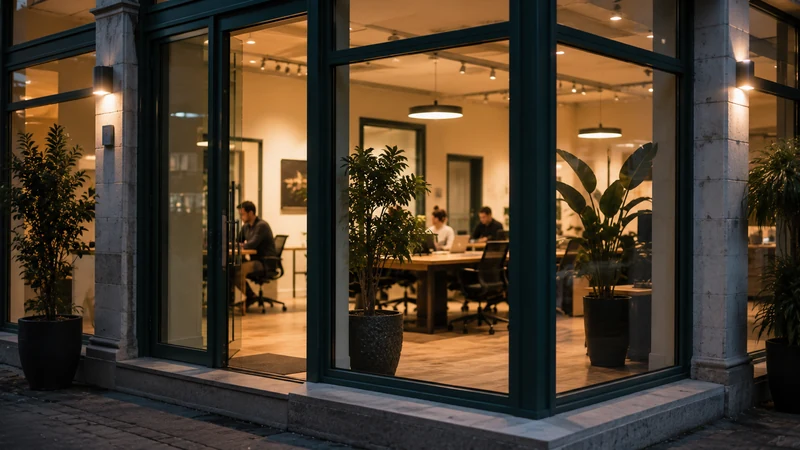
Meeting room and workshop in a community hub, opened by online booking

A community hub’s life goes on
outside staffed hours

The strength of a community hub is also what makes it hard to manage: it welcomes different groups, at different times, for different uses. In the morning, a training course takes over the main hall. In the afternoon, two members work in the workshop. In the evening, an association rehearses in the multi-purpose hall, and on Saturday a resident comes in to use the laser cutter. Each has their own rule, their own rate, their own right of entry.

As long as the team is on site, everything is sorted out in person. The problem starts when the venue wants to stay active beyond its opening hours: the fablab in the evening, the hall at the weekend, desks at 07:00. The demand exists, but every time slot outside staffed hours means a key to hand over, a payment to collect later and a record to piece together. Many community hubs give up, and use stays concentrated on a few hours.

Community hub management software solves this by linking booking to access. The workshop booked for 19:00 opens at 19:00 for the member who booked it, then closes again. Payment is collected at the time of booking, at the rate for the relevant user group, and the schedule stays accurate for everyone. The venue can then open its spaces during time windows when nobody is on duty, without losing any control.

  • A single schedule for workshops, rooms, desks and bookable machines
  • A rate per user group: member, resident, company, association, with free use recorded when it has been decided
  • A badge active during permanent members’ hours, a one-off code for occasional use
  • Online payment collection, through the public revenue account (régie) when the community hub is run by a local authority
Shared workspaces in a community hub monitored from a single dashboard
Workshop, training room, desks: one schedule per space, one rule per access point.
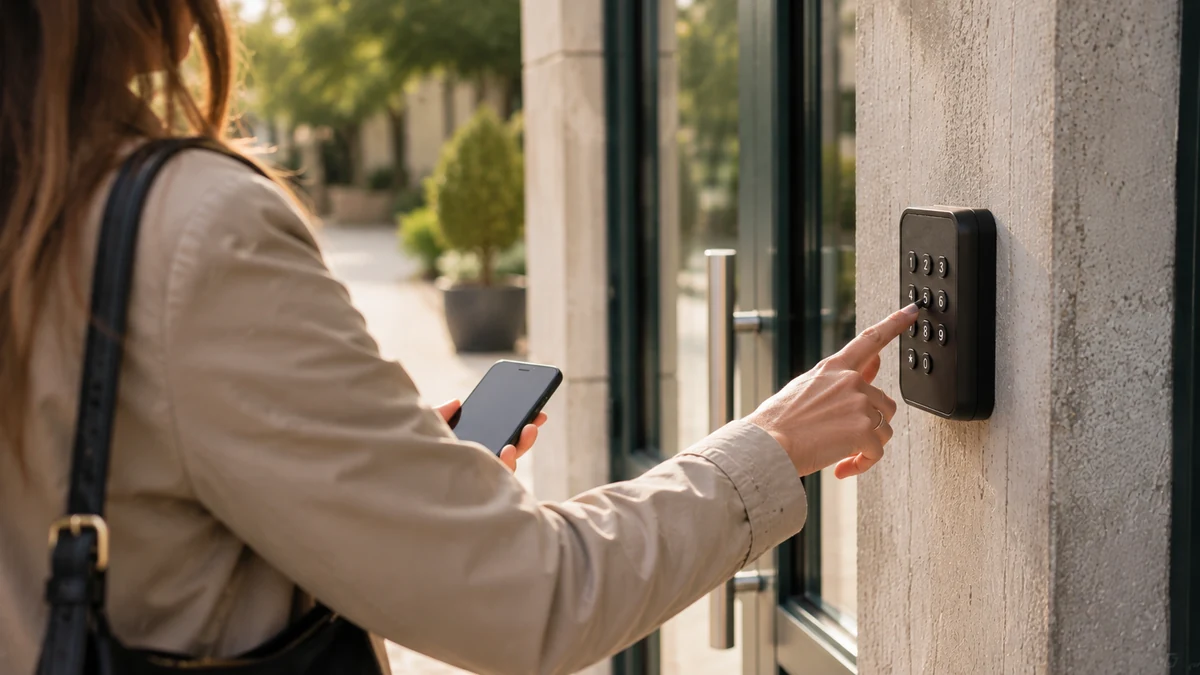
Entering an access code at the entrance to a workshop booked online
The code received on booking only opens the workshop during the booked time slot.

What the community hub
finds in the same tool

Mixed uses on a single schedule

A day-long training course, a workshop by the hour, a desk by the month and an evening rehearsal all share the same calendar. A time slot that has been taken disappears from the public page instantly, whichever user group booked it.

A rate that depends on who is booking

The member whose fee is paid up, the local resident, the company next door and the association each see their own price for the same workshop. Free use, when it has been decided, remains a full booking that leaves a record.

The right access for the right length of time

The permanent member keeps a badge that is active during their membership hours. The one-evening user receives a code that is only valid for their time slot. Both open the same door and are logged in the same way.

Attendance you can demonstrate

Hours booked and hours actually opened, by space and by user group. The activity report for funders, the board or the inter-municipal authority comes out of the tool, without rebuilding a spreadsheet.

From the booked time slot
to the workshop closing again

The space is published with its rules

Each workshop, room or desk has its own public page, open time windows, rates per user group and minimum duration. A machine that requires prior training can be made bookable only by authorised members.

The user books and pays

They choose their time slot, see the rate for their user group and pay online. For a venue run by a local authority, payment is collected through the revenue account. Without payment, the time slot stays open to someone else.

Access is issued

The code arrives by SMS and email with the exact time window, or the member’s badge is activated for the time slot. The venue’s main door and the workshop door can each have their own rule.

The space closes again and the record remains

At the end of the time slot, access ends and the controllable equipment follows. The occupancy history, income and receipts can be consulted in the community hub’s dashboard.

What community hub management software needs to do beyond a coworking tool

A coworking tool manages desks and meeting rooms for a homogeneous group of workers. A community hub, on the other hand, welcomes very different groups in very different spaces: a fablab with machines, a training room, a kitchen, a performance hall, sometimes a shared garden. The software must therefore be able to describe each space with its own rules, and apply a rate that depends on the person booking, not just on the space.

It must also accept that the same space changes character during the day: the main hall is a training room in the morning and a rehearsal room in the evening, with two user groups and two rates. The room booking software page describes what a room schedule must do; here, the difficulty is keeping ten spaces of different kinds in the same tool, and the coworking and community hubs page shows what that looks like day to day.

Fablab: booking a machine, not just a room

In a fablab, the scarce resource is not the room, it is the machine: the laser cutter, the CNC milling machine, the large-format 3D printer. Fablab software must make it possible to book the machine for a time window, to reserve it for those who hold the matching authorisation, and to open the workshop at the booked time. When the machine’s power supply can be controlled, it can follow the time slot: the machine works during the booking and not outside it.

Prior training is handled through user groups: only members authorised on a machine see its time slots. An untrained resident first books an induction session, then becomes authorised. This avoids leaving an expensive machine in the hands of someone who doesn’t know how to use it, without anyone having to check at the door. The list of controllable equipment specifies what can be connected.

Community hubs run by a local authority: the revenue account and user groups

Many community hubs are run by a municipality or an inter-municipal authority. They open their spaces to residents, associations, local businesses and sometimes to the authority’s own staff. Payment for hires then falls under the public revenue account (régie), and the software must work within it: online payment before access, a receipt for the user, income linked to the booking and documents for the Public Treasury.

Pricing per user group is at the heart of the model: free for local associations if that is the voted rule, a reduced rate for residents, the full rate for outside companies. Every free time slot remains a full booking, which takes up the schedule and leaves a record. The payment collection through a revenue account page details the process, and the community hall management software page describes the roll-out on the local authority side, where the community hub is just one facility among others.

Permanent members and one-evening users: two kinds of access, one door

A community hub almost always has two populations. Members, with their membership up to date, come often and at varying times: they need a badge active over a wide time window, the one in their plan, which switches off if the membership is not renewed. Occasional users book a specific time slot: they need a code that only opens for that slot. Both must control the same door and appear in the same log.

This dual arrangement avoids two common pitfalls: giving every member a permanent key, which ends up being passed around, or forcing regulars to book every visit. The keys and access for a shared space page explains what happens to a community hub’s bunch of keys when every right of entry has an end date, and the glossary defines the permanent badge.

What should you measure to keep the venue thriving?

A community hub is accountable: to its members, to its board, to the local authority that funds it, sometimes to a national programme. The questions are always the same: how many hours was the workshop used, by whom, which spaces stay empty, which income covers which costs. Community hub management software must answer them without rebuilding a spreadsheet from memory.

The time-stamped access log, kept separately from the bookings, shows what was actually used. Income by space and by user group shows what funds the venue. Lighting and heating consumption, when the equipment is connected, shows what a time slot costs. These three views are enough for most activity reports, and they also help decide whether to open an extra time slot on Sundays or close a space that isn’t being used.

Everything that keeps your spaces running
from €59 per month

One subscription, no commitment and no equipment to replace. Booking, payment collection, access and tracking in a single piece of software, with no add-on modules or premium edition. No commission on your revenue; the exact scope is agreed with you during the demo.

No commission Keep your existing equipment Assisted setup, done remotely E-invoicing compatible

* Prices shown exclude VAT.

Community hubs and fablabs:
your questions

Yes. A machine is set up as a bookable space: open time windows, minimum duration, rate per user group and permitted user groups. Only members authorised on that machine see its time slots. When the machine’s power supply can be controlled, it follows the booking: the machine works during the time slot and not outside it. The workshop that houses it opens at the same time.

The rate depends on who is booking. A member whose membership is up to date, a resident of the municipality, an association, a company: each sees their own price on the same page. Free use is a rate like any other, and a €0 booking takes up the schedule and leaves a record. The same space can therefore be a paid training room in the morning and a free room for associations in the evening.

No. A permanent member has a badge that is active during the time window of their plan, for example Monday to Saturday from 07:00 to 23:00, without booking. They only book what is scarce: a machine, a meeting room. The badge switches off if the membership is not renewed. Occasional users, on the other hand, receive a code valid for their time slot only.

Yes. Payment is collected online, before access, through the public revenue account (régie) and in line with the requirements that apply to public revenue accounts. The user receives a receipt, the income is linked to the booking and the documents for the Public Treasury are included. The process is set up once, at the start, with the local authority’s Public Treasury office.

Yes, that is exactly what linking booking and access makes possible. A booked and paid time slot issues a code or activates a badge for the planned time window. The space opens on time, closes again at the end, and the log keeps a record of every entry. The venue can offer time windows when nobody is on duty, without losing any control.

The subscription starts at €59 excl. VAT per month, with no commitment and no commission on payments. The exact price depends on the number of spaces and access points to be controlled, and it is set during the demo based on your actual venue. If a door or a machine cannot yet be controlled, the hardware is quoted separately and communicated before you order.

Bring your floor plan,
we’ll set the rules together

During the demo, we go through your spaces one by one, your user groups and your actual rates. You see a booking open the workshop, then close it again, before we talk about the subscription.