
Collection through the revenue account (régie)
Online payment goes into the municipality’s revenue account. The process is set up once with the Treasury accountant. Each item of revenue is tied to the booking that produced it.
Software for managing community halls, or municipal halls, has to handle four things at once: the halls’ schedule, rates that depend on the user group, payment collection within the public revenue account (régie), and access to the hall during the booked time slot. This page is written for the person who chooses and rolls out the tool at the council: what to require, what to check, and how setup works in a municipality.
Updated 8 September 2026
The first check is an accounting one. Hiring out a community hall generates public revenue. It is collected within a public revenue account (régie), under the control of the Treasury accountant. Software designed for private hire discovers this constraint after signing. Software built for municipalities deals with it at the start, with the Public Treasury, and brings online payment into the revenue account.
The second check concerns rates. The rate table approved by the municipal council almost always distinguishes three user groups: the local association, often at zero euros, the resident of the municipality and the non-resident. The software must apply this rate table without anyone having to decide, booking after booking. Free use must still be a complete booking, with its time slot, its access and its occupancy record.
The third check is about the door. A tidy schedule is useless if the key keeps changing hands. The software must issue a right of entry limited to the booked time slot, on the hardware already in place when it can be controlled. The fourth check is regulatory: data hosted in France, GDPR, accessibility of the public page, and data reversibility at the end of the contract.
Online payment goes into the municipality’s revenue account. The process is set up once with the Treasury accountant. Each item of revenue is tied to the booking that produced it.
Association, resident, non-resident: the council resolution becomes a setting. The right rate applies automatically, and so does free use. Nobody has to make the call over the phone on a Friday evening any more.
The code or badge is valid for the booked period. It stops opening at the end of the time slot. A change in an association’s committee no longer means getting a key back.
Proof of payment for the user, revenue summary for the revenue officer, export for the Public Treasury. The documents come straight out of the platform, with no re-keying.
Rates by user group, durations, open periods, deposit, cancellation terms: everything in the hire terms is entered once in the platform.
The accepted payment methods are set out in the act establishing the revenue account. We go through the process with your Public Treasury office and the revenue officer, at the start, just once.
Our team checks the access hardware in place and connects it, remotely. If the hall only has a mechanical lock, the hardware needed is quoted separately, before ordering.
Residents and associations book, pay when there is a charge and get in during their time slot. The town hall office checks bookings and deals with special cases.
Community hall software must cover booking, rates by user group, payment collection through the revenue account, access to the hall and the documents for the Public Treasury. If it stops at the schedule, the council is left with the most costly part: keys, cheques and reminders. Here is the list we recommend putting in the specifications.
Every missing feature means a task that stays with the council. So the choice is made on the complete chain, from the time slot to the door.
A municipality doesn’t collect payment for a hire the way a business does. The revenue is recorded by the authorising officer and collected by the Treasury accountant or, by delegation, by a revenue officer appointed for that purpose. A public revenue account (régie de recettes) is the act that authorises a municipal employee to collect certain revenue on behalf of the accountant. The software must work within this framework, not get around it.
In practice, the platform acts as the collection site: it calculates the amount according to the user group, presents the payment to the user, then links the revenue to the booking. The payment itself is made online, by card, within the revenue account and in line with the requirements for public revenue accounts. Local authorities and their revenue accounts that collect more than €5,000 a year are in fact required to offer their users an online payment method, under Decree No. 2018-689 of 1 August 2018. The subject is covered in detail on the page collecting payment for a hall hire through a revenue account.
What you should require from the software: payment must be a condition of access, each item of revenue must be linked to an identified booking, the revenue officer must have a summary by period, and free use must not appear in revenue while still appearing in occupancy.
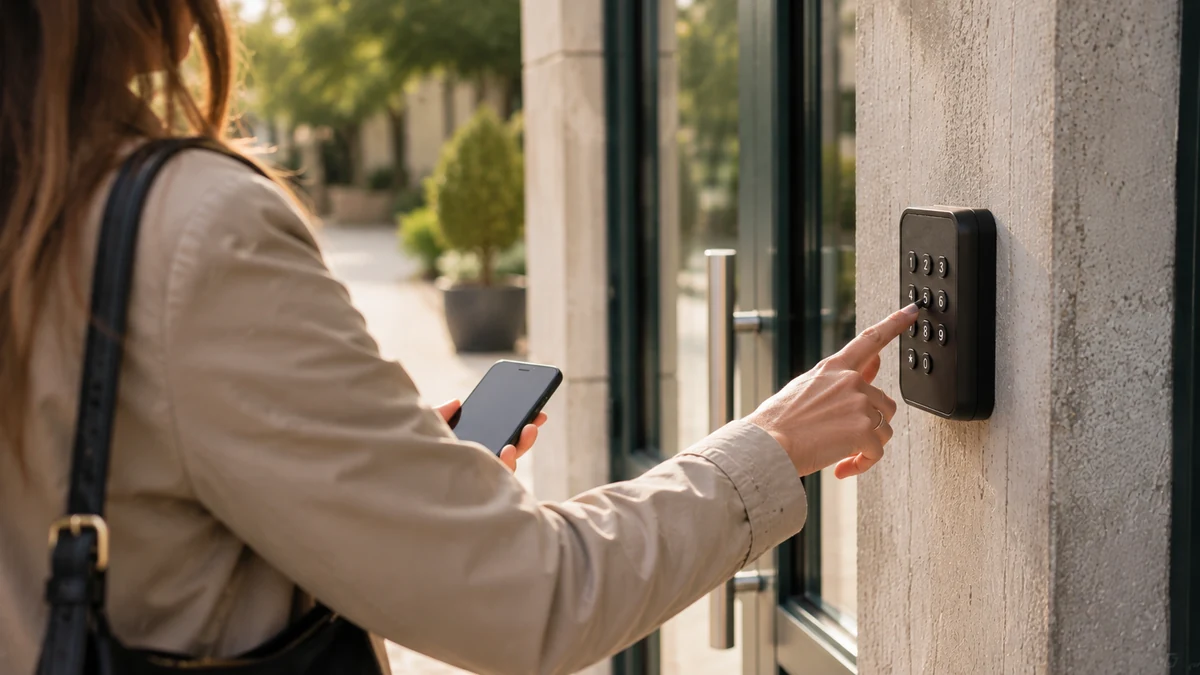
Self-service access is the feature that distinguishes booking software from hall management software. The user who has booked and paid receives a code, or has their badge activated, and gets in on their own during their time slot. At the end of the time slot, access stops. No more keys to hand over, no more appointments to arrange on a Friday evening, no more bunch of keys changing hands within an association.
Two points to check before choosing. First, the hardware: the software must adapt to the keypads, badge readers, electric strikes and gates already installed when they can be controlled. Replacement is the exception, and it must be quoted separately, before ordering. Second, continuity: what happens if the site loses its connection? Backup codes must make it possible to open. The page stop passing a hall’s keys around goes into these questions, and the guide booking and access for a community hall in 12 points provides a complete checklist.
Every opening is time-stamped. If damage is found on the Monday, the council knows who was in the hall and at what time. The condition report is based on facts and, if the site is equipped, on camera footage. A deduction from the deposit becomes a documented decision.
A public booking page processes personal data: name, phone number, email, booking and access history. The municipality is the data controller. It must be able to answer the questions raised by the CNIL (France’s data protection authority) on GDPR: where the data is hosted, how long it is kept, who has access to it, and how a resident exercises their rights. Software intended for municipalities must host data in France, restrict dashboard access person by person and allow export or deletion on request.
Accessibility is the second obligation. An online public service must comply with the French general accessibility improvement framework, described on the official RGAA website. For a booking page, this means keyboard navigation, sufficient contrast, labelled forms and a payment journey that can be used without a mouse. Our accessibility statement sets out the platform’s status and the points in progress.
A roll-out in a municipality follows four stages: transcribing the hire terms, setting up the payment collection process with the Public Treasury, connecting the halls to the platform, then opening the public page. The demo is used to scope these four stages on your actual equipment. The exact price is set at that point, with no commitment.
The municipality gathers its rates resolution, its hire terms and the list of halls concerned. The revenue officer and the Public Treasury are involved from the outset regarding the payment method. If a hall has no controllable access hardware, the requirement is quoted separately and communicated before ordering.
Our team connects the access points, remotely, and trains the staff who will use the dashboard. Associations’ recurring bookings are set up for the season. A first test is run with a real booking, from payment to the door opening.
Residents book from the public page, associations from their account. The town hall office checks bookings, handles special requests and produces the summaries for the revenue officer. The municipality’s other facilities, a sports hall or a motorhome aire, can join the same platform later. The page town halls and local authorities presents all the municipal uses.
The subscription starts at €59 excl. VAT per month, with no commitment and no commission on payments. The exact amount depends on the actual spaces and equipment; it is set during the demo. Access control hardware, if any needs adding, is quoted separately and communicated before ordering. The platform pricing page sets out these rules.
For a municipality, a subscription of this amount is well below the thresholds for formal procurement procedures. The local authority applies its own internal procurement rules. The contract provides for reversibility: booking, access and revenue data can be exported at any time, in a readable format, and are returned at the end of the contract.
Before choosing a paid tool, it is fair to ask whether a free shared calendar is enough. The answer depends on what the municipality wants to cover: the schedule alone, or payment and the door as well. The comparison between a free solution and ASLOT goes through the question point by point.
One subscription, no commitment and no equipment to replace. Booking, payment collection, access and tracking in a single piece of software, with no add-on modules or premium edition. No commission on your revenue; the exact scope is agreed with you during the demo.
* Prices shown exclude VAT.
Yes, within a public revenue account (régie). The revenue account is set up by the municipality after consulting the Treasury accountant, and the revenue officer collects payments on the accountant’s behalf. Online payment fits into this revenue account, in line with the requirements for public revenue accounts. The process is carried out once, at the start, with your Public Treasury office. We go through it with you. After that, each hire paid online is linked to its booking and appears in the revenue officer’s summary.
Yes. Each hall is a space with its own calendar, rate table and access. The sports hall, the motorhome aire or a municipal car park can be added to the same platform, with the same revenue account and the same dashboard. Many municipalities start with a single hall and expand later. The price depends on the spaces actually opened and is set during the demo.
As a user group in their own right, with their own rate, often zero euros. The association books, receives its access and the occupancy is recorded. Its weekly time slots are set once for the season. If a session is called off during the holidays, that occurrence is cancelled without breaking the series. The municipality therefore knows the number of hours actually used by each organisation, which supports a decision on a grant or on renewing a hire agreement.
Not necessarily. The platform adapts to the existing hardware when it can be controlled remotely: keypad, badge reader, electric strike, gate. If a hall only has a mechanical lock, controllable equipment needs to be fitted. This hardware is quoted separately and communicated before any order. Compatibility is checked during the demo, on your actual halls.
The data is hosted in France. Access to the dashboard is set person by person, which limits viewing to those who need it. Booking and access data can be exported and can be deleted at a resident’s request. The municipality remains the data controller and must enter this service in its record of processing activities. We provide the information needed for this entry during setup.
The subscription starts at €59 excl. VAT per month, with no commitment and no commission on payments. The exact price is set during the demo, based on the actual spaces and equipment. The municipality applies its own internal public procurement rules. Access hardware, if needed, is quoted separately and communicated before ordering. Nothing is signed until the municipality has seen the complete journey on its own halls.
Yes. Bookings, access history and revenue can be exported at any time from the dashboard, in a format a spreadsheet can read. At the end of the contract, the data is returned to the municipality and then deleted. This reversibility is one of the points to write into the specifications, whichever software vendor you choose, and we provide for it in the contract.
Thirty minutes on your actual halls: the council resolution, the payment collection process, the hardware in place. You leave with an exact price and a setup timetable, with no commitment.