🏢 Businesses

Booking software for business incubators
offices, rooms and resident access in a single tool

A business incubator, business centre or serviced office centre rents out offices by the year and provides meeting rooms, drop-in desks and shared services. The lease and rent are a matter for property management; what gets booked and what gets opened is a matter for booking software. ASLOT handles this second part: the meeting room booked by the hour, the drop-in office booked by the day, residents’ access during their hours, usage metered and paid for online. This page is for the organisation that runs the venue, whether it is private, run by a chamber of commerce or backed by an inter-municipal authority.

Updated 7 October 2026

ResidentsBadge active during their hours
By the hourRooms and drop-in offices
MeteredEvery use, paid online
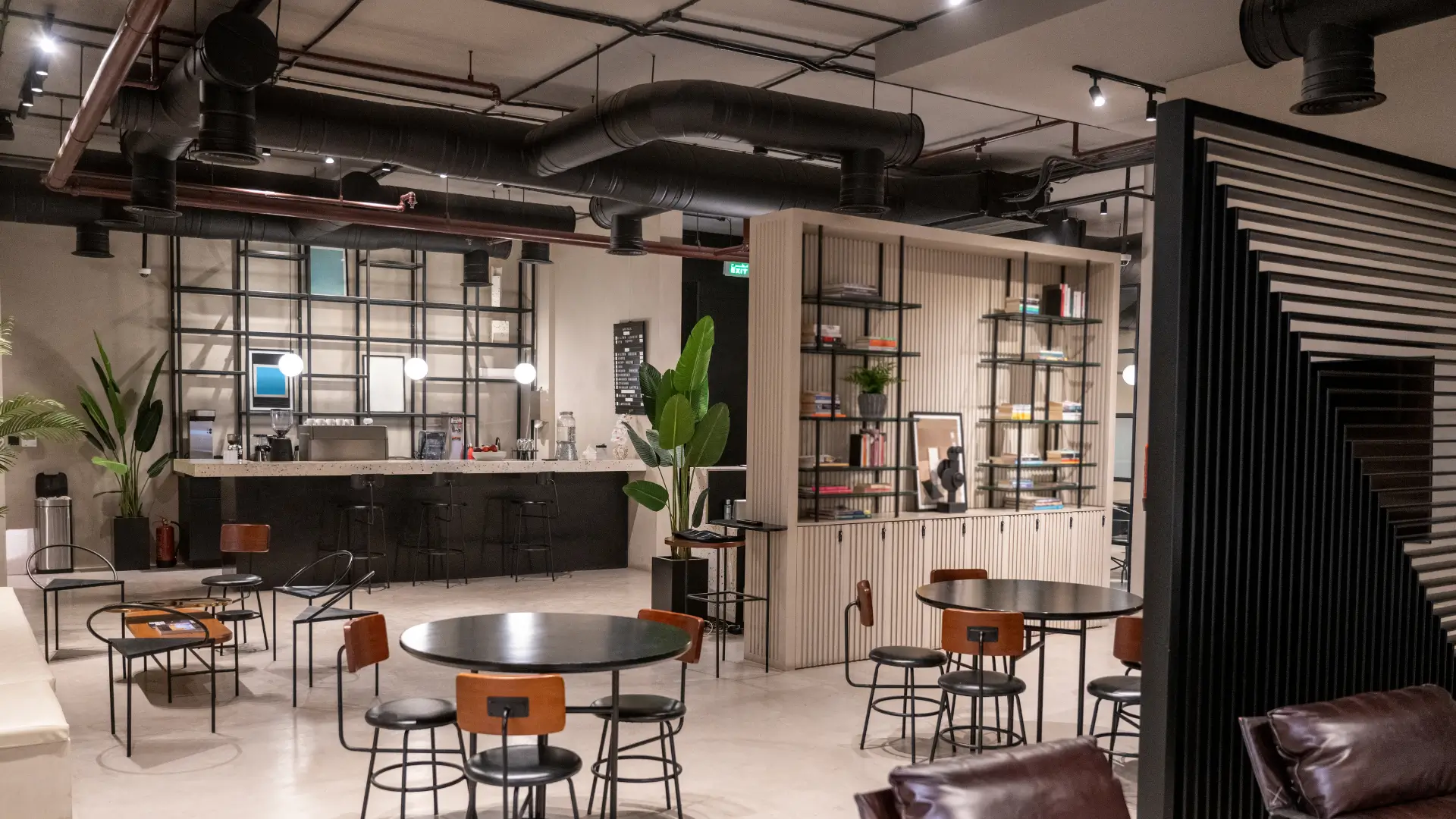
Offices and meeting room in a business incubator that can be booked online

The lease covers the office,
nothing covers the meeting room

In a business incubator, each resident’s office is governed by an occupancy agreement: floor area, duration, rent, service charges. Everything else is vague. The meeting room is booked on a shared calendar that nobody really keeps up to date, the hours included in the plan are not counted, extra use is not invoiced, and the badge of the resident who left six months ago still opens the front door.

This vagueness costs the organisation dearly and annoys residents. A young company that needs the room for a client meeting finds it taken by a meeting nobody booked. The manager spends time settling disputes, chasing people up and reissuing badges. And the shared services, which ought to fund part of the venue, stay free by default because nobody knows how to meter them.

Booking software for a business incubator gives this part of the venue a framework. Rooms and drop-in offices have a schedule that is public within the organisation, every use is deducted from the resident’s plan or paid online beyond it, and everyone’s access follows their situation: the resident gets in during their hours for as long as their agreement runs, and the visitor receives a code for their meeting only.

  • A shared schedule for meeting rooms, drop-in offices and common areas
  • Usage metered per resident: hours included in the plan, extra hours paid online
  • A resident badge active during the hours set in the agreement, a visitor code valid for one meeting
  • An occupancy and income history readable by the organisation, the inter-municipal authority or the chamber of commerce
Business incubator meeting room booked by the hour from the shared schedule
The room is booked by the hour, and the resident’s visitor receives their code for the meeting.
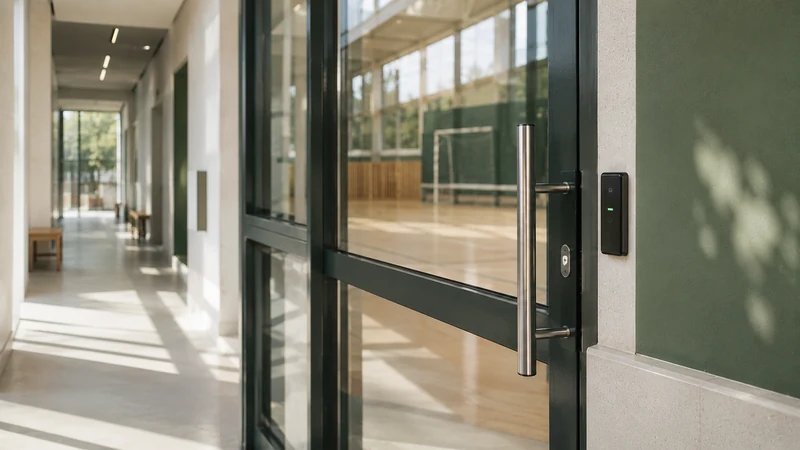
Entrance to a business centre controlled by residents’ badges
The resident’s badge follows their agreement: it stops opening on the day the agreement ends.

What the organisation
finds on the same screen

Rooms nobody fights over any more

Each meeting room has its own schedule, visible to all residents. A time slot that has been taken disappears instantly. The unbooked meeting that ties up the room needed for a client appointment is a thing of the past.

Usage counted, not guessed

The room hours included in each resident’s plan are deducted as they are used. Beyond that, payment is made online at the time of booking. The organisation has a statement for each resident for its invoicing.

Access that follows the agreement

The resident’s badge is active during the hours and for the duration of their occupancy agreement. The day the agreement ends, the badge stops opening, without anything being handed back. A resident’s visitor receives a code for their meeting only.

A venue that can account for itself

Room occupancy rates, income from shared services, time-stamped entries. The report for the steering committee, the inter-municipal authority or the chamber of commerce comes out of the tool, not out of a spreadsheet pieced together after the fact.

From the resident moving in
to their client’s meeting

The resident is set up with their plan

When they sign their agreement, the resident receives their badge, active for the agreed hours and duration. Their plan specifies the room hours included. Nothing to redo as long as the agreement runs.

They book the meeting room online

From their phone, they see the available time slots and take theirs. The included hours are deducted, and any extra is paid online. Their client receives a code valid only for the duration of the meeting.

The room opens, then closes again

The visitor’s code opens the entrance and the room at the scheduled time. The room’s lighting and heating can follow the time slot where the installation allows. At the end, access stops.

The organisation reviews actual usage

Room hours per resident, drop-in offices sold, income from shared services, time-stamped entries. The statement is used for invoicing and reporting, with no re-entering of data.

What business incubator software should handle, and what it doesn’t

The question comes up every time: do you need a single piece of software for everything? No. The lease or occupancy agreement, rent, service charges, registered address services and the monitoring of business support fall under property management and programme management. ASLOT doesn’t manage them and doesn’t try to. It manages what gets booked and what gets opened: rooms, drop-in offices, common areas, resident and visitor access, usage that is metered and paid for online.

This separation is healthy. It leaves the organisation its property management tool and its business support tool, and it entrusts booking software with the part that is currently handled with a shared calendar and a bunch of keys. The comparison between booking only and booking with access explains why the question of the door changes the choice of tool.

Business centre, serviced office centre, business network: the same need under three names

A business centre houses companies that are already established, without business support; a serviced office centre rents equipped offices and services to freelancers and companies passing through; a business network or club has a room for its meetings and makes it available to its members. In all three cases, the shared resource is a room, sometimes an office, and the question is the same: who can book it, at what price, and how it opens.

Booking software answers through user groups: network member, business centre resident, serviced office client, outside company. Each sees their own rate and time windows. The business club that lends its room free of charge to its members keeps a record of every use, which helps it justify its membership fee. The meeting room booking page follows an hourly booking from the point of view of the person making it.

Residents and visitors: badges on one side, codes on the other

A resident comes in every day, often early or late, for the whole term of their agreement. They need a badge active over a wide time window, which stops by itself on the day the agreement ends. A visitor comes once, for a two-hour meeting: they need a code that only opens the entrance and the room, during that time window, and nothing else. Both must control the same doors and appear in the same log.

This dual arrangement puts an end to two costly habits: the badge that is never recovered when a resident leaves, and the reception desk that has to be staffed to let visitors in. The keys and access for a shared space page explains what happens to a bunch of keys when every right of entry has an end date, and the access security page describes how every entry is traced.

Metering usage to fund shared services

An incubator’s shared services – rooms, drop-in offices, printing, sometimes a visitor parking space – are rarely charged according to actual use, for lack of a tool to count them. Booking software meters them as they are used: room hours included in the plan and then extra hours, a drop-in office sold by the day, printing deducted from a balance. Anything beyond the plan is paid online at the time of booking; the organisation has a statement for each resident for its own invoicing.

For an incubator backed by an inter-municipal authority, payment for chargeable services can be collected through the public revenue account (régie), in line with the requirements that apply to public revenue accounts. The payment collection through a revenue account page describes this process, and the car park booking software page covers visitor spaces.

Why share a tool with the community hub and the local authority’s halls?

A business incubator is often one facility among others for the inter-municipal authority that runs it: alongside it, there is a community hub, community halls, sometimes a sports hall and a motorhome aire. Keeping them on the same platform has three advantages: a single revenue account and a single process with the Public Treasury, a single dashboard showing occupancy across all facilities, and a single subscription.

This doesn’t mean putting everything online at once. The incubator can start on its own, and the village hall can follow the year after on the same account. The community hub and fablab management software page describes the neighbouring facility, and the councils and local authorities use case shows how a municipality can see all its facilities in one place.


Everything that keeps your spaces running
from €59 per month

One subscription, no commitment and no equipment to replace. Booking, payment collection, access and tracking in a single piece of software, with no add-on modules or premium edition. No commission on your revenue; the exact scope is agreed with you during the demo.

No commission Keep your existing equipment Assisted setup, done remotely E-invoicing compatible

* Prices shown exclude VAT.

Business incubators and business centres:
your questions

No. The lease, the occupancy agreement, rent, service charges and registered address services are handled by your property management tool. ASLOT manages what gets booked and what gets opened: meeting rooms, drop-in offices, common areas, resident and visitor access, usage that is metered and paid for online. The two tools work side by side without overlap.

Each resident is assigned to a user group that carries their plan: a certain number of room hours included per month, for example. Bookings are deducted from this allowance. Beyond it, the rate for extra hours applies and is paid online at the time of booking. The organisation has a statement for each resident for its own invoicing.

Their badge stops opening on the end date of their agreement, without anything being handed back. Their future bookings can be cancelled in one go and their history remains available. A new resident is set up in a few minutes, with their badge and their plan. No locks need changing.

Yes. The network’s room is published with its time windows and user groups: members whose fee is paid up, partners, outside companies. Members book free of charge if that is the rule, others pay online. Everyone receives a code valid for their time slot, and the network keeps a record of every use to justify its membership fee.

No. When a resident books a room for a meeting, they can have a code sent to their visitor that is valid only for the duration of the meeting. The code opens the entrance and the room at the scheduled time, then stops working. Reception, if there is one, is freed from this task and the entry is still logged.

The subscription starts at €59 excl. VAT per month, with no commitment and no commission on payments. The exact price depends on the number of rooms, offices and access points to be controlled; it is set during the demo based on your actual building. If a door cannot yet be controlled, the hardware is quoted separately and communicated before you order.

Bring your list of residents,
we’ll set up access together

During the demo, we start from your actual rooms, plans and doors. You see a resident book the room, their visitor get in with their code, and then the room close again.